IPTV digiboksi 2026: what a Finnish set-top box really does
A digiboksi and an IPTV device are not the same thing. How to check what yours can do — and what the September 2026 licensing decision settled.
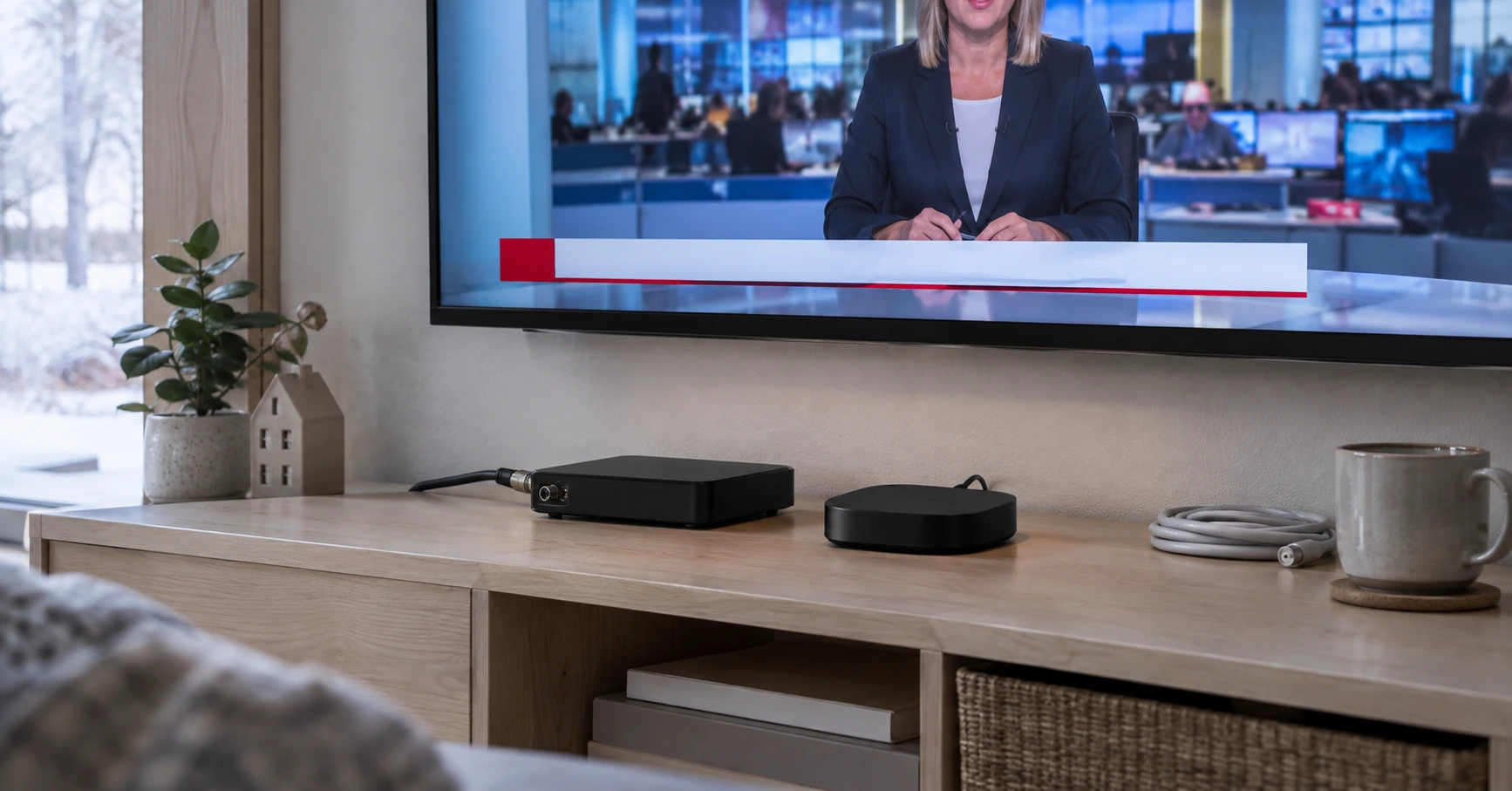
If you have moved to Finland and inherited a small black box under the television, you have probably met the word digiboksi. It is one of the most consistently misunderstood pieces of Finnish home technology among new arrivals, mostly because the English word "box" covers two completely different devices here. In September 2026 a licensing decision also settled what the antenna network will look like for the next decade — useful context before deciding whether to keep, replace or ignore yours.
A digiboksi and an IPTV device are not the same thing
A digiboksi is a tuner. It receives the broadcast signal arriving from an aerial or a cable socket and decodes it for the television. It needs no internet connection whatsoever, and you cannot install apps on it, because it has no app platform.
An IPTV device is a small computer. It fetches content over an internet connection through an app, and needs no aerial at all. You install players on it much as you would on a phone.
From this follows one practical rule that saves a pointless purchase: an ordinary aerial digiboksi cannot play IPTV, and an IPTV box cannot show antenna channels. The exception is a hybrid device with both a DVB tuner and an Android TV platform. They exist, but they are a minority and cost more than either device alone.
The confusion is not the consumer's fault. The vocabulary is loose — "boksi" covers both tuners and streaming devices in everyday Finnish — and online shops frequently file both under the same product category. When the devices also look alike from the outside, the distinction is easy to miss at the point of purchase.
The quickest way to tell them apart is to look at the sockets. A digiboksi has an aerial or coaxial connector that a cable from the wall screws into. A streaming device has none; its only link to the outside world is Wi-Fi or Ethernet. If a device has both, it is a hybrid.
A third source of confusion is the operator's box. When a cable or broadband provider supplies a device with a TV package, it may be either type or a combination — and crucially it is tied to that contract and does not come with you if you switch provider.
September 2026: the antenna line-up is settled until 2037
Terrestrial television programme licences run for fixed terms, and the current one ends in January 2027. The application round ran through spring and summer 2026, and Traficom decided it on 1 September 2026.
| Decision date | 1.9.2026 |
| New licence period | 11.1.2027 → 10.1.2037 |
| National channel bundles | A, B and C |
| Regional bundle | Ostrobothnia |
| Licensees | Discovery Networks Finland, MTV, Sanoma Media Finland, The Walt Disney Company Nordic, Viaplay Group Finland; Elisa in Ostrobothnia |
The substance sits in two of the agency's own statements. Transmission capacity was sufficient for all applicants, so every applicant was granted a licence. And television services on the antenna network will continue largely as they are now.
What the decision means if you own one
Three things, and all three are reassuring.
The antenna network is not disappearing. When licences are handed out a decade ahead and the major commercial broadcasters apply for slots, the network has a future. A digiboksi is not a dead device and is not worth discarding as a precaution.
The line-up will not collapse in January 2027. The regulator says plainly that provision continues largely unchanged, so no dramatic surprises are expected in what the aerial delivers.
But the hardware requirement already tightened once — and that is the part that genuinely affects a box owner. It is the next section.
The wider picture of where the Finnish television year is heading is collected in the IPTV Finland pillar guide.
DVB-T2 alone is not enough — HEVC is the other half
This is the single most important fact in the article, and it goes wrong in shops regularly.
Finland moved fully to high definition during 2025: according to Traficom, Yle's standard-definition broadcasts ended on 31 March 2025 and commercial channels on 30 June 2025. Since then a receiver needs a DVB-T2 tuner.
A tuner alone is not sufficient, though. The HD broadcasts use HEVC compression, and the device has to decode that too. Industry guidance states this directly: the technical specifications must list both DVB-T2 and either HEVC or H.265. If one is missing, channels will not appear even if the device is otherwise the right generation.
This is why some households bought a new digiboksi in 2025 that still did not work. The box said DVB-T2; the HEVC support was absent.
Two separate things get merged in marketing here. DVB-T2 is the transmission standard — how the signal travels from the mast to the aerial. HEVC, or H.265, is the compression codec — how the picture is packed inside that signal. A device can receive the signal perfectly well and still be unable to unpack its contents, and the result is a black screen or a missing channel rather than any error message explaining why.
This catches two groups especially. People who bought a box cheaply from abroad or online, since many devices made for Central European markets carry DVB-T2 without HEVC, because broadcasts there use older compression. And people with a television bought around 2013–2016, which may have a DVB-T2 tuner from before HEVC support became standard.
How to check what yours can do
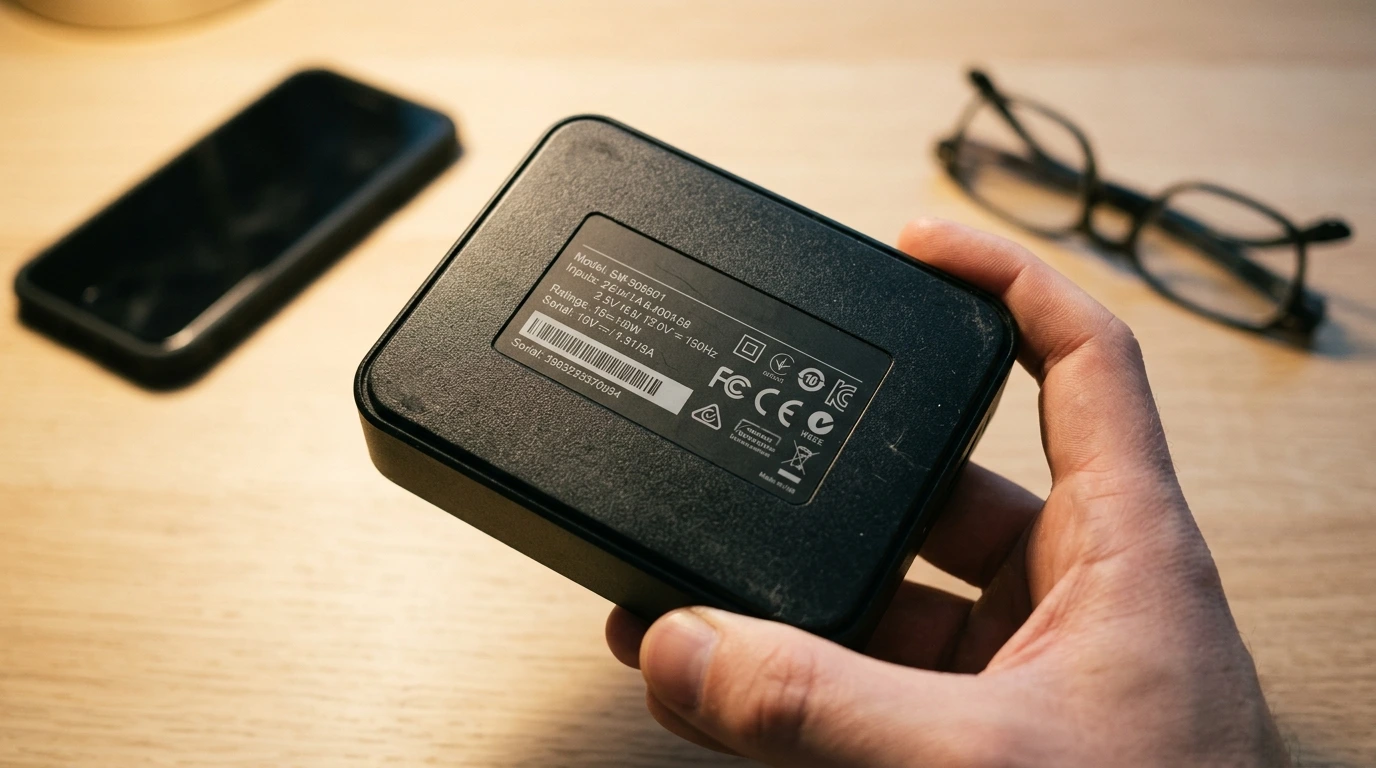
- Look at the device's rating plate or manual for two markings: DVB-T2 and HEVC (or H.265). Both must be present.
- If the markings are not on the device, search the model number on the manufacturer's site. The model number is usually on the base or the rear.
- Re-run the channel scan. If some channels are missing but others appear, the cause is most often an out-of-date scan rather than the device.
- Compare against the television. If your television has its own DVB-T2 tuner, a separate box may not be needed at all — plenty of people run one unnecessarily for years.
The channel scan deserves its own note, because it resolves a surprising number of cases. Frequencies get rearranged periodically, and a device does not re-scan by itself, so a channel can seem to vanish with nothing actually wrong. The scan usually sits under Tuning, Channel search or Auto search and takes a few minutes.
There is also a useful diagnostic in how the fault presents. A weak signal breaks up the picture intermittently across all channels and varies with the weather. A missing codec removes specific channels completely and is entirely consistent. If a neighbour receives the same channels on the same aerial direction, the problem is more likely your device.
Can a digiboksi play IPTV?
The direct answer is no, unless it is a hybrid. The reason is structural rather than fixable by update: there is no operating system and no app store for a player to install into.
This causes regular disappointment, because the devices look the same on the shelf. The difference is inside. How operating systems differ among actual streaming devices is covered separately in checking which OS an IPTV box runs.
Three ways to add IPTV without removing the digiboksi
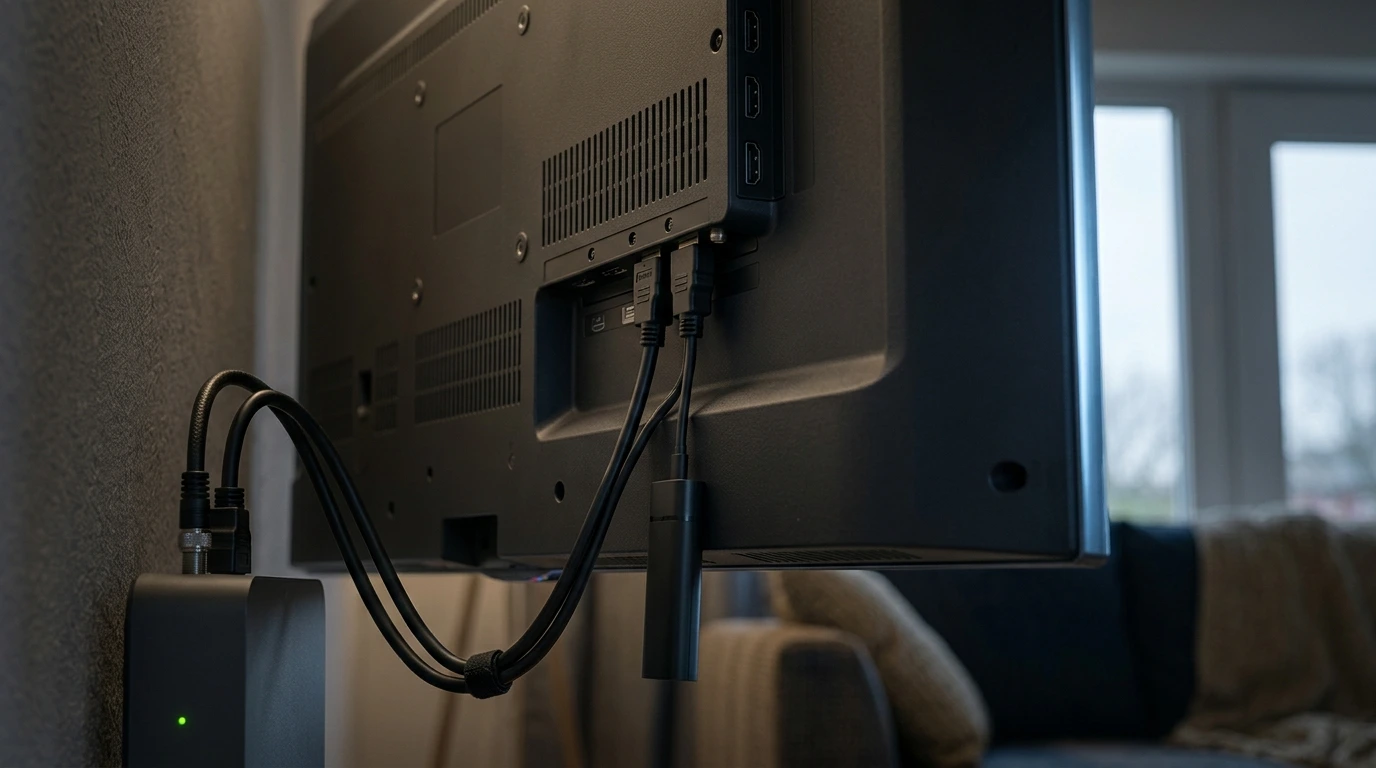
The commonest misconception is that taking IPTV means dismantling the aerial setup. It does not. A modern television has several HDMI ports for exactly this reason.
| Route | What it needs | Who for |
|---|---|---|
| The television's own app platform | a smart TV under roughly 5 years old | most people — no extra hardware |
| A streaming stick in a second HDMI port | about the price of one month's subscription | if the TV's platform is sluggish |
| Phone or tablet | nothing new | trying it out, or a second room |
The first is always worth testing first, because it is free. If a compatible player is in the television's store, no separate device is needed — covered in more depth in our article on watching without a box. If hardware is needed after all, the buying criteria are set out in our article on buying a box.
In practice the digiboksi stays on HDMI 1 and the streaming device goes on HDMI 2, with the source button switching between them. Nothing has to be unplugged.
If the HDMI ports are full, there are two options. A cheap HDMI switch costs very little. More often, though, one port is occupied by something no longer used — an old DVD player or games console — which can simply be unplugged.
The other practical question is remote controls. Two devices mean two remotes, which is a small but constant friction. Most televisions support HDMI-CEC, which passes the TV remote's commands to the connected device. The setting is usually in the television's menu under the manufacturer's own name — Anynet+ on Samsung, SIMPLINK on LG, BRAVIA Sync on Sony — and is worth enabling before buying any universal remote.
What a digiboksi does better than IPTV
In fairness, the aerial route has three advantages the network route does not provide.
It works without internet. When the connection drops, the aerial still shows the news. During a storm or a wider outage that is not a theoretical benefit.
It costs nothing to use. The domestic free-to-air channels are already paid for through the Yle tax, so watching via the aerial adds no cost at all.
It needs no logins or accounts. The aerial works as soon as there is power and a completed channel scan — genuinely useful for a visitor, an elderly relative or a summer cottage.
It is equally fair to say what the aerial does not give. The selection is fixed and does not grow, there is no on-demand catalogue, and you cannot start a programme when you choose — viewing follows the broadcast schedule. Those three gaps are the usual reason an aerial household adds something from the internet alongside.
When to replace it and when not to
Replace it if the device lacks DVB-T2 or HEVC, or if channels have disappeared permanently and a rescan does not help. A replacement is inexpensive, and keeping the aerial working is worthwhile.
Do not replace it if the only reason is wanting IPTV. A new digiboksi will not deliver IPTV, because its structure does not change. The money goes into the wrong device.
Do not replace it either if your television already has its own DVB-T2 tuner. In that case the separate box is usually redundant and can simply be unplugged.
One situation falls between these: recording. Some set-top boxes record to an external drive, and televisions' built-in tuners do not always offer this. If recording genuinely gets used in the household, that is a legitimate reason to keep a separate box even when the television could receive the channels itself.
Keep the sums in proportion, too. A compliant digiboksi is cheap and replacing it is a one-off. A streaming subscription is recurring, but it replaces neither the aerial nor the reverse. The two should not be set against each other in a budget, because they do not compete for the same need.
What Nordic IPTV is, and what we don't claim
We are a credential-based streaming service, sold and supported over WhatsApp. We sell no set-top boxes, aerials or streaming devices, so a hardware recommendation is not a commercial question for us in either direction.
What we do not claim: we do not claim to replace the antenna network. It is a separate, working distribution route with real advantages, and we recommend keeping it alongside. We also do not promise specific named channels or sports rights, because selections change. And if the right answer for you is a new digiboksi rather than a subscription, we will say so.
Plans are €15 for one month, €35 for three, €45 for six and €65 for twelve, about €5.40 a month on the annual plan. There is no fixed term and no auto-renewal, and simultaneous streams run from two to five depending on the plan. Prices checked 5 Oct 2026. Full details are on the plans page, and device-specific questions are covered on our devices page.
Unclear cases are worth asking about first — the frequently asked questions cover most of them.
Summary
A digiboksi and an IPTV device solve different problems. The first is a tuner decoding an aerial or cable broadcast and needing no internet. The second is an app platform fetching content from the network and needing no aerial. An ordinary digiboksi cannot play IPTV, and no update changes that.
September 2026 settled the antenna network's future for a long stretch: on 1 September Traficom granted programme licences for 11 January 2027 to 10 January 2037 to every applicant, and the agency says provision continues largely as it is. Owners do not need to brace for the line-up collapsing.
One technical requirement is still worth checking, and it is the most important point here. A device needs both DVB-T2 and HEVC — DVB-T2 alone is not enough for Finnish HD broadcasts. Check the markings before buying anything, because this is precisely what sank many 2025 purchases.
The practical conclusion is simple. Keep the aerial, because it works without internet and costs nothing to use. Add IPTV through the television's own app or a second HDMI port, not by replacing the digiboksi. And replace the box only when it lacks the required technology — not because you want IPTV.
To test the service on your own television before deciding, start with a free trial or see the plans and prices.