IPTV Box at Gigantti 2026: What to Actually Buy in Finland
Looking for an IPTV box at Gigantti? No shop sells one under that name. Here is the device you actually need — and what changed in September 2026.
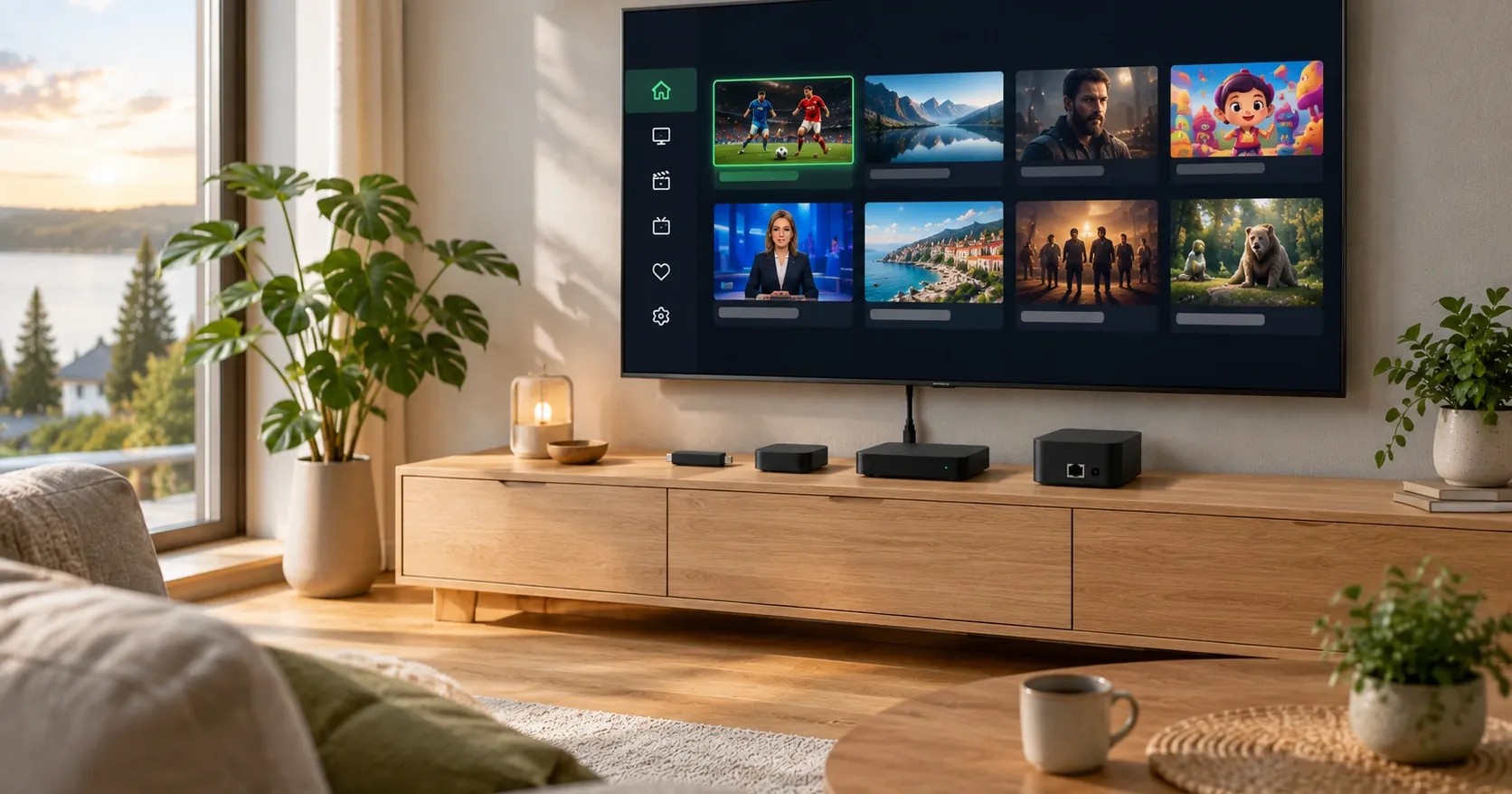
Searching for an IPTV box at Gigantti usually ends in confusion — not because the shop has nothing suitable, but because the thing you are looking for does not exist under that name. Electronics retailers do not sell "IPTV boxes" as a product category, and that trips up almost everyone approaching this for the first time.
The good news is that the right device is easy to find and often cheaper than expected. This article covers what you actually need, what to look for in the shop, what changed in the buying criteria in September 2026, and one practical thing worth checking before you travel to a store. Information checked 6 September 2026.
What an "IPTV box" actually means
The term comes from IPTV marketing rather than from device manufacturers. In practice it means any device you plug into a television's HDMI port that can play television arriving over an internet connection.
No manufacturer calls its product an IPTV box. They are streaming devices or media players, and their marketing centres on the large streaming services. The same device will play any compatible app, including an IPTV player.
Two practical consequences follow. Searching a retailer's site for "IPTV" returns nothing useful — the search term is "streaming device", "media player" or a product name directly. And price tells you nothing about IPTV compatibility, because compatibility depends on the app rather than the hardware.
Be wary of pre-configured "IPTV boxes" sold online with channels supposedly included. There are no channels in a device — channels come from a subscription. Anyone selling hardware "with 20,000 channels" is selling a subscription and using the device as a shop sign.
What an electronics retailer actually sells for this
The range is much the same in every large Finnish electronics chain. These are the categories the choice comes down to.
| Device type | Operating system | IPTV app choice | Suits |
|---|---|---|---|
| Google TV Streamer | Google TV / Android | Widest | Most households |
| Android TV box | Android TV | Wide | Best value |
| Amazon Fire TV Stick | Fire OS (Android-based) | Wide | Cheapest entry |
| Apple TV | tvOS | More limited | Apple households |
| Nvidia Shield | Android TV | Wide | Demanding use, gaming |
| The smart TV itself | Tizen / webOS | More limited | Buy nothing at all |
Two things stand out.
Android-based devices are the most flexible. The Google TV Streamer, Android TV boxes, Fire TV Stick and Nvidia Shield all run Android in some form, so the app choice is widest. This is the only technical difference that genuinely matters for IPTV.
Since summer 2026 that no longer answers itself. Amazon is moving Fire TV devices onto the Linux-based Vega OS, where Android apps do not run without being rebuilt, and two different operating systems are now sold under the same product name. The model generation is therefore worth checking before you buy — which operating system a box runs, and how to check it is covered separately.
Apple and smart TVs are narrower but not impossible. Both have their own apps, but the selection is smaller and availability has fluctuated more.
In August 2024 Google replaced its Chromecast line with the Google TV Streamer, a box-shaped device rather than a stick. If you are looking for a new Chromecast, there isn't one — this is the replacement.
Stick or box — which is worth it
The form factor is not just about looks, and the difference matters more in practice than most people expect.
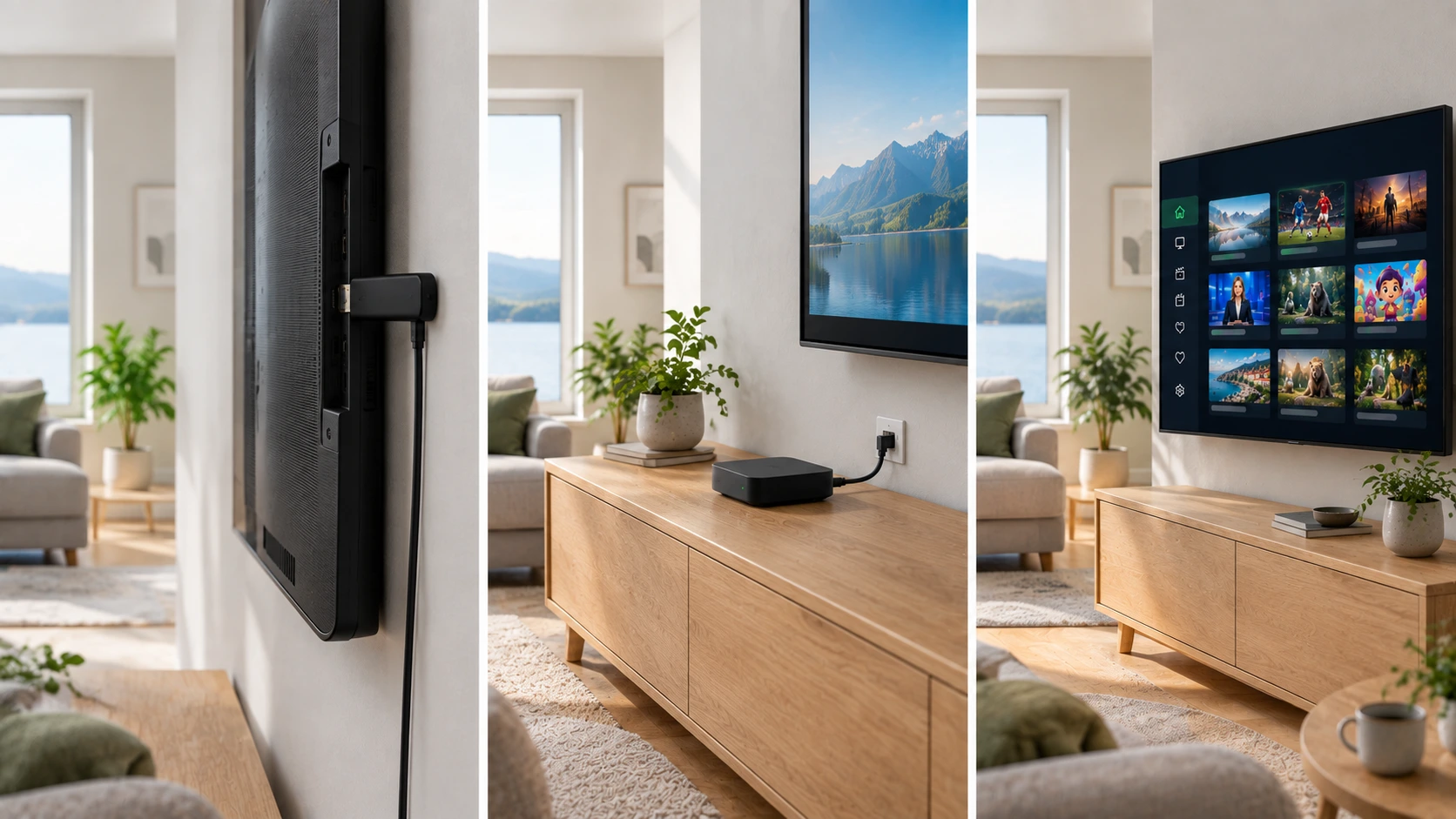
A stick plugs straight into the HDMI port and hides behind the television. It is cheapest, takes no space and is enough for most uses. Two limitations are worth knowing: sticks rarely have an Ethernet port, so they depend on Wi-Fi, and they run warm in the cramped space behind a television, which can show up in performance during long sessions.
A box sits beside the television or on a shelf. It costs more but typically has an Ethernet port, more memory and better cooling. The interface stays responsive for longer because the hardware has more headroom.
A rule of thumb: if there is easy cable access behind the television and you watch a lot, choose a box. If the device is for a bedroom television or sits next to the router for occasional use, a stick is fine.
A third option people forget: a games console. If there is a PlayStation or Xbox in the house, it already has streaming apps and an Ethernet port. The app selection is narrower than on Android devices, but it costs nothing extra.
September 2026: new regulation changes the buying criteria
This is the most important part of the article, and it has gone almost unnoticed in consumer coverage.
The EU's Cyber Resilience Act covers all connected products containing digital elements — including streaming devices, smart televisions and other connected home hardware. It entered into force in December 2024, but its obligations arrive in stages.
According to the regulation's timeline, reporting obligations began on 11 September 2026. From that date a manufacturer must report an actively exploited vulnerability or severe incident within 24 hours as an early warning, provide a fuller notification within 72 hours, and file a final report within 14 days of resolution. Full application begins on 11 December 2027.
The part that matters most to a buyer is different, though: the regulation requires free and timely updates throughout the defined support period, which is generally expected to be at least five years unless the product's intended lifetime is deliberately shorter. Manufacturers must also maintain a machine-readable Software Bill of Materials.
What the support period means in practice
A streaming device is not a passive accessory but an internet-connected computer with an operating system, a browser and access to your home network. When updates stop, the device stays at whatever security level it had on the final day.
At the point of purchase this changes one thing: the support period becomes a comparable specification alongside price and performance. The cheapest device is not cheapest if it is supported for two years while a dearer one is supported for five. Calculated per year, the ranking often reverses.
The practical instruction is simple. Find the manufacturer's stated support period before buying. If it is not on the product page, ask. After 2026 this is information a manufacturer is expected to be ready to provide — and a vague answer is not a good sign.
What the regulation does not do
The new rules are easy to misread, and three limits are worth knowing before leaning on them.
It does not make older devices illegal. The regulation covers products placed on the market, not what you already own. An old stick in a drawer does not become prohibited or stop working.
It does not guarantee five years for every device. The wording is that the support period is generally expected to be at least five years unless the product's intended lifetime is shorter. For the cheapest products a manufacturer may legitimately state a shorter period — the point is that it must be stated.
It does not make buying instantly easier. Obligations arrive in stages and full application is not until December 2027. During 2026 the information is improving but not yet consistently available from every manufacturer.
The direction of travel is still clear: toward support periods being quoted as routinely as screen size or memory. Until then, asking is worthwhile, and a missing answer is itself information.
The Chromecast case showed why this is hard
Spring 2026 produced a good illustration of how difficult support periods have been to pin down, even for the largest manufacturers.
In May it was widely reported that Google was ending update support for nearly all Chromecast devices. According to Mobiili.fi's article of 22 May 2026, later updated, the information was subsequently corrected: Google clarified that only the original Chromecast's update support had ended, and the other devices retained support despite the initial announcement.
The original Chromecast received roughly ten years of updates before support ceased, which is an unusually long run in consumer electronics.
Two things are worth taking from this.
The end of support does not kill a device. They carried on working normally. Ageing happens gradually: at some point apps require a newer OS version, and services drop support for older hardware.
Establishing support information was hard even for specialist media. If a trade publication had to correct itself, an ordinary buyer standing in front of a shelf was in a worse position. That is precisely the problem the new transparency requirement addresses.
Gigantti's store network changed in 2026
This is a practical detail worth checking before travelling to a shop, particularly in smaller towns.
During spring and summer 2026 several franchise-run Gigantti stores moved to the competing Power chain. According to Power Finland's announcements, Ylivieska and Kajaani joined on 20 July 2026 — the tenth and eleventh stores to switch during the spring.
| Date | Store |
|---|---|
| 1 May 2026 | Iisalmi |
| June 2026 | Tammisaari and Loimaa |
| 20 July 2026 | Ylivieska and Kajaani |
In most cases the same owner and the same staff continued under a new name. The Tammisaari store has operated as a franchise since 2004 and Loimaa since 2005.
Gigantti remains a large operator: it is part of the Norwegian Elkjøp group, had revenue of roughly €454 million in the 2024–2025 financial year and employs over 800 people in Finland. Riku Kuusisto became chief executive on 1 January 2026.
For a buyer only one practical point follows: check your local store's chain online before you go. The devices and price brackets are much the same in both chains, but loyalty schemes, warranty handling and click-and-collect points are chain-specific.
Do you need a device at all?
Worth asking before buying, because the answer is surprisingly often no.
If your television is less than about five years old and runs Samsung's Tizen, LG's webOS or an Android TV build, you can usually install a compatible app directly. No separate device is needed, and buying one will not improve picture quality in any way.
A separate device is worth buying in four situations. The television is old enough to have no smart features. The television's own interface is painfully slow, which is common on sets more than five years old. The television's app store has nothing suitable. Or you want the same interface in several rooms.
In those cases the cheapest stick typically costs less than one month of subscription and makes an old television fully usable. This is the best value in the whole subject: there is no reason to replace a working television because an app is missing.
How to check your television's app store
The check takes two minutes and can save the whole purchase. Do it before opening any web shop.
Open the television's own app store — Apps on Samsung, LG Content Store on LG, Google Play on Android TV devices. Search for the app name your provider gave you, or more generally for "IPTV". If a compatible player appears, no device is needed.
If the result is empty, check two things before concluding. Is the television connected to the internet — an app store also looks empty with no connection. And is the system updated, since an old version can hide part of the catalogue.
One note on Samsung and LG sets: the selection varies more by model year than by manufacturer. Two televisions of the same brand from different years can offer different apps. Have the model number to hand if you ask a provider about compatibility.
That question gained weight in August 2026. LG began rolling webOS 26 out to older television models, and the update windows differ clearly between manufacturers: Samsung promises seven years of Tizen updates from its 2024 models, LG four annual upgrades. The window decides how long a television’s own platform stays viable without separate hardware. The whole question is worked through in IPTV without a box.
Buying an IPTV box in Finland: how to choose
Once you have decided to buy, four questions settle it.
1. Is it Android-based? This is the only technical question that genuinely matters. Android-based devices have the widest app selection and the most fallback options.
2. How long is the support period? Look on the product page or ask. The gap between two and five years affects real cost more than the difference in shelf price.
3. Does it have an Ethernet port? A cable solves by far the most common playback problem, which is home Wi-Fi. The cheapest sticks have no port, and that is the most common reason to regret the cheapest choice.
4. Is it fast enough for 4K? If you watch 4K, check the device supports it. Older and cheaper models cap at Full HD.
Two things are deliberately outside that list despite being emphasised in marketing: processor name and memory size. They affect interface speed, not picture quality — quality comes from the source and your connection.
Consumer rights when buying hardware
Buying a device is an ordinary consumer purchase, and the same rules apply as to any electronics.
The seller is liable for defects. Liability under the Consumer Protection Act is independent of any manufacturer warranty and applies even after that warranty has expired. Its duration is assessed against the product's expected lifetime.
Online purchases carry a 14-day right of withdrawal. This covers distance selling, not in-store purchases. Store returns rest on the retailer's own policy, which is often broader but not a legal requirement.
For disputes, help comes from the Finnish Competition and Consumer Authority and its consumer advisory service, which is free.
One practical tip: keep the receipt and packaging at least for the first few weeks. Problems with a streaming device usually surface quickly, and returning is easiest then.
Once you have the device
Setup is straightforward and the order is always the same regardless of hardware.
- Connect it to an HDMI port and to power. Use a port marked ARC or eARC if you want audio through a soundbar.
- Connect to the network — by cable if possible. If the device has an Ethernet port, use it. This removes most future playback problems before they occur.
- Sign in with the device's own account. Google TV needs a Google account, Fire TV an Amazon account, Apple TV an Apple account.
- Install the player app. From the device's own store or the developer's site — never from a forum link.
- Enter your subscription credentials once. The app fetches the channel list and guide itself.
- Set the time zone to Helsinki. This is the most common reason a guide shows the wrong programme.
- Turn on HDMI-CEC in the television's settings. Then the television remote also controls the streaming device. It is named differently by each manufacturer — Anynet+ on Samsung, Simplink on LG, Bravia Sync on Sony.
Which app suits depends on the device, covered in more depth in our article on player apps. Supported devices are listed on their own page.
If the picture stutters on the first evening
The first evening with a new device is when most problems appear — and nearly all are fixable without a return.
Try an Ethernet cable first. If the device has a port, use it. This resolves the majority of cases and separates a network problem from a hardware problem within minutes.
Switch Wi-Fi to the 5 GHz band. If a cable is not an option, 2.4 GHz is typically congested in an apartment building. Most routers broadcast both, often as separately named networks.
Move the stick out from behind the television. A stick running hot in a cramped space throttles. A short HDMI extension cable costs a few euros and fixes it permanently.
Test another app on the same credentials. If the problem follows you, it is not the app. If it disappears, you were in the wrong app.
Only if none of these helps is a return worth considering. Remember too that peak time loads every service — stuttering at 20:00 on a weekday is not the same as stuttering on a Tuesday morning.
Common mistakes when buying
These recur regardless of where the device is bought.
Buying a device when the television would do. Check the television's own app store first. It is free and takes two minutes.
Choosing the cheapest option with no Ethernet port. A few euros saved are repaid in stuttering playback, and the cause is hard to diagnose afterwards.
Not checking the support period. From 2026 this information is better available than before, so skipping it is unnecessary.
Buying a pre-configured "IPTV box" online. These charge a premium for ordinary hardware, and the channels supposedly included come from an unspecified subscription. Buy the device and the subscription separately, always.
Believing a dearer device improves picture quality. It does not. Quality comes from the source and is limited by your connection. A dearer device gives a faster interface and longer support — both real benefits, but not the same thing.
Buying a 4K device for a Full HD television. If the television is not 4K, 4K support produces no visible benefit — the picture scales to the television's resolution anyway. Check the set's resolution before paying extra for something it cannot display.
How to choose a service alongside choosing hardware is covered in our article on picking the best service.
If the device turns out to be wrong
A wrong choice is not an expensive mistake if you act in time. The order matters.
Check the return window first. An online purchase carries 14 days; an in-store purchase depends on the retailer's policy. Both run out quickly, so test the device immediately rather than next month.
Establish second whether the device is actually the problem. If the same fault appears on a phone and a computer, the hardware is not the cause. Worth confirming before returning, because replacing the wrong thing fixes nothing and the next device behaves identically.
Consider third whether a smaller fix would do. An Ethernet cable, an HDMI extension or a different app together cost less than a new device and solve most cases.
If the device genuinely is wrong — too slow for 4K, or missing a port you need — return it and buy once, correctly. Living with the wrong device costs more over time than the price difference.
What Nordic IPTV is — and what we do not claim
Since this is an IPTV service's own site, two things should be kept separate.
We do not sell hardware and are not affiliated with any electronics chain. We receive no commission from Gigantti, Power or any device manufacturer, and we do not recommend any single device as the only right one — the best choice depends on your television and your budget.
Nordic IPTV is a credential-based subscription. After ordering you receive credentials that work in a compatible app on any device named in this article. What the service includes is on its own page: more than 18,000 live channels plus over 40,000 films and 12,000 series, in 4K and FHD where the source provides it, with an EPG and catch-up.
Pricing is public: €15 for one month, €35 for three, €45 for six and €70 for twelve — about €5.83 a month annually. Streams run from two to five depending on the plan, every plan is billed once with no automatic renewal, and each carries a 7-day money-back guarantee.
We do not claim to be the official rights holder for any channel or competition in Finland. Verifying a provider and the legal position of IPTV in Finland are covered in their own article, and who we are is stated openly. If anything is unclear, ask before you buy.
Summary
No electronics retailer sells an "IPTV box" under that name, because the category does not exist. What you need is a streaming device — a Google TV Streamer, an Android TV box, a Fire TV Stick or similar — with a compatible app installed. Android-based devices are the most flexible, and an Ethernet port is the cheapest single way to avoid playback problems.
In 2026 a new item joined the buying criteria. The EU Cyber Resilience Act's reporting obligations began on 11 September 2026 and full application follows on 11 December 2027, with free updates required throughout a support period generally expected to be at least five years. The support period is now a specification worth comparing alongside price. The Chromecast confusion of spring 2026 showed why it was needed.
Before buying anything, do two things. Check whether a suitable app already exists in your current television's own store — often it does, and then you need no device at all. And if there is a Gigantti in your town, check online whether it is still a Gigantti: eleven stores moved to the Power chain during 2026.
To compare options with the numbers in front of you, see the plans and monthly prices. To test on your current device first, start a free trial.