IPTV Pro 2026: What "Pro" Actually Means in a Player App
IPTV Pro is not one app. What the Pro payment buys, what it never includes, and the permission rule that changed in October 2026.
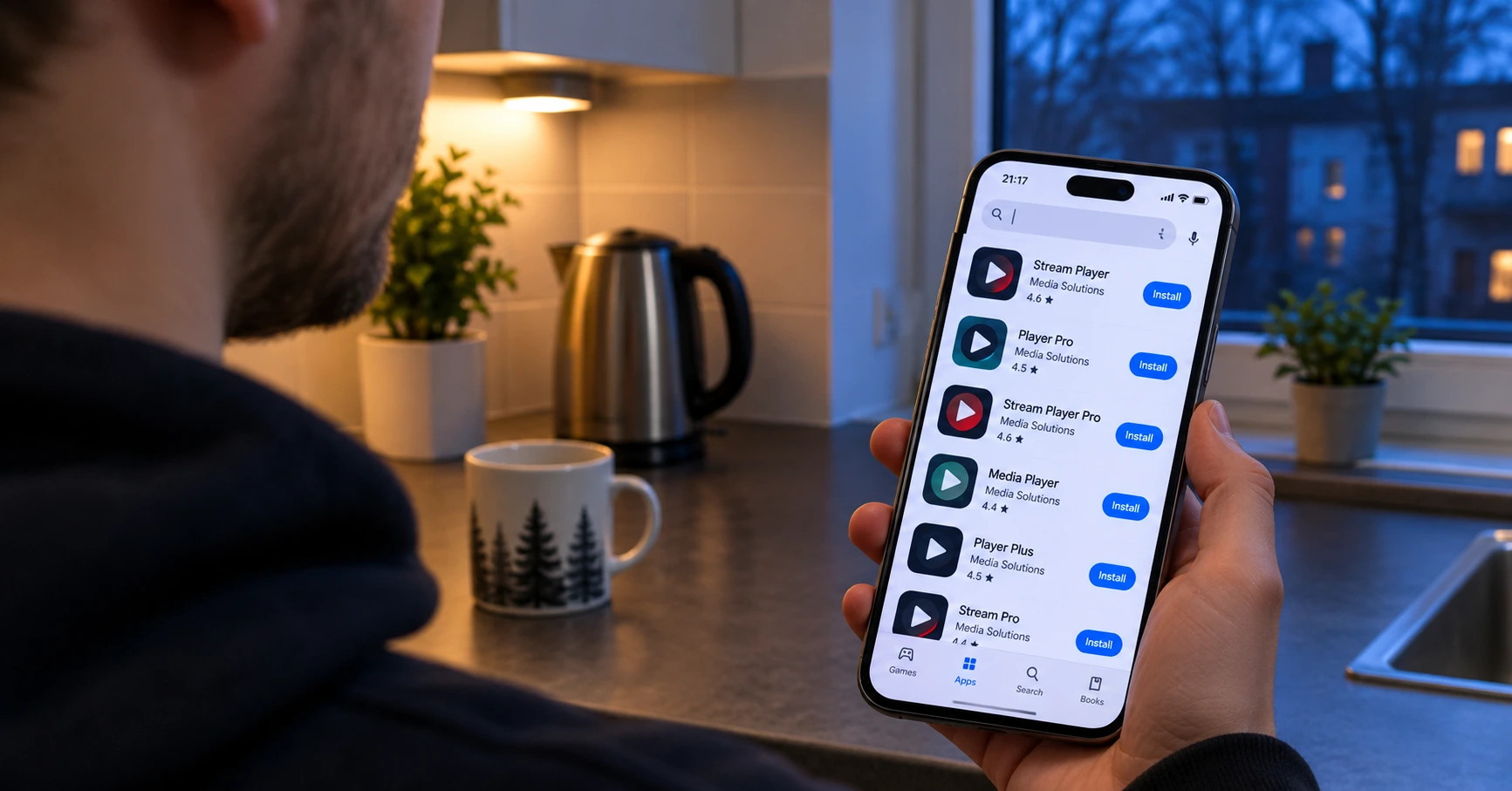
IPTV Pro is a search term with no single product behind it. The same name is used by several unrelated apps on both Android and iOS, and on top of that the word Pro hangs as a bare marketing suffix on dozens of other players. So "what is IPTV Pro" cannot be answered until you know which one the asker means.
This article does three things. It separates those meanings, explains what a Pro payment actually buys — and what it never includes — and covers the Google policy change published on 29 October 2026 that lands squarely on this class of app.
One distinction up front, because these two get confused. We previously covered IPTV Smarters Pro and developer verification: that concerns who is allowed to publish an app. This article concerns what an installed app is allowed to do on your home network. Different rule, different mechanism, different symptom. Information checked 1 November 2026.
What "IPTV Pro" can mean — three different things
Before downloading anything, it helps to know which of the three you are looking at.
| Meaning | How to recognise it | What it is |
|---|---|---|
| A named app | Developer name and package identifier | One specific player literally called "IPTV Pro" |
| A paid tier | Same developer, two listings | The ad-free edition of one app |
| A marketing suffix | "Pro" refers to no version at all | Just a word in the name, meaning nothing |
The third is the most common and the most misleading. App stores carry plenty of players with Pro in the name where no non-Pro version has ever existed. The word is there for the same reason as Smart, Ultra or Plus: it reads better in a search result.
The practical consequence: an app's name does not identify the app. That is the single most important point in the whole subject, and it holds regardless of which player you use.
Why there are so many identical names
The reason is structural rather than accidental. Building a player is technically straightforward: it reads a playlist and plays video, and neither is the hard part. Acquiring content is the hard part, and a player developer does not need it at all.
The result is that players are numerous, similar to each other, and competing for visibility in one store. The name is therefore a marketing instrument and keywords decide it. IPTV is what people search for; Pro is what sounds better than nothing.
This also explains why a store search is no help in choosing. The first ten results can be ten different developers' apps with near-identical names, similar icons and the same description text. The order reflects search optimisation inside the store, not quality.
One instruction follows: do not choose a player from the order of search results. Choose on the developer, the update cadence and the permissions — all three are on the store listing, and all three say more than the name or the ranking.
The developer and the package identifier are the only unique details
Every Android app has a package identifier — a technical string visible in the store URL after id=. Two completely different apps can carry the same name, but the identifier always differs.
So every piece of fault-finding, every support request and every comparison should be done on the identifier rather than the name. If you contact any support desk with "IPTV Pro doesn't work", the first reply will inevitably be a question about which app you actually mean.
On iOS the equivalent unique detail is the developer name on the store listing. The numeric string in the store URL serves the same purpose.
October 2026: Google tightened local network access
Here is a recent change that lands on this class of app more directly than on most.
On 29 October 2026 Google published a new Play policy called Local Network Permission. Its substance is short but its reach is wide:
- Local network access is restricted to apps that need it for core functionality — and only where a device picker is insufficient.
- Apps targeting Android 17 (API level 37) must submit a separate declaration in Play Console if they use the permission.
- Developers were given at least 30 days from 29 October 2026 to update their apps.
Android 17 is the 2026 Android release, API level 37, available since June 2026. Google Play currently requires new apps and updates to target API level 36; the date on which level 37 becomes mandatory has not been officially announced. This article therefore leaves that part of the timeline open — estimates circulating in the industry pointing at 2027 should not be treated as confirmed.
How the permission works technically
According to Google's own developer documentation the mechanism is this:
| App targets | Local network | What the developer does |
|---|---|---|
| API level 36 or lower | Open — granted implicitly alongside INTERNET |
Nothing. This is temporary. |
| API level 37 or higher | Blocked by default | Request ACCESS_LOCAL_NETWORK, or use the system device picker |
The permission belongs to the nearby devices permission group. On Android 16 the restriction was opt-in and applied only to apps that enabled it for testing. From Android 17 the restriction is mandatory for apps that target it.
One detail is worth knowing: if you have already granted the same app another permission in the nearby devices group — a Bluetooth permission, for instance — the system will not ask you again. The permission is already granted at group level, which explains why some users see no prompt at all.
What an IPTV player really needs the local network for
This is where the change becomes concrete. A player uses the local network for three things, and none of them is the actual viewing.
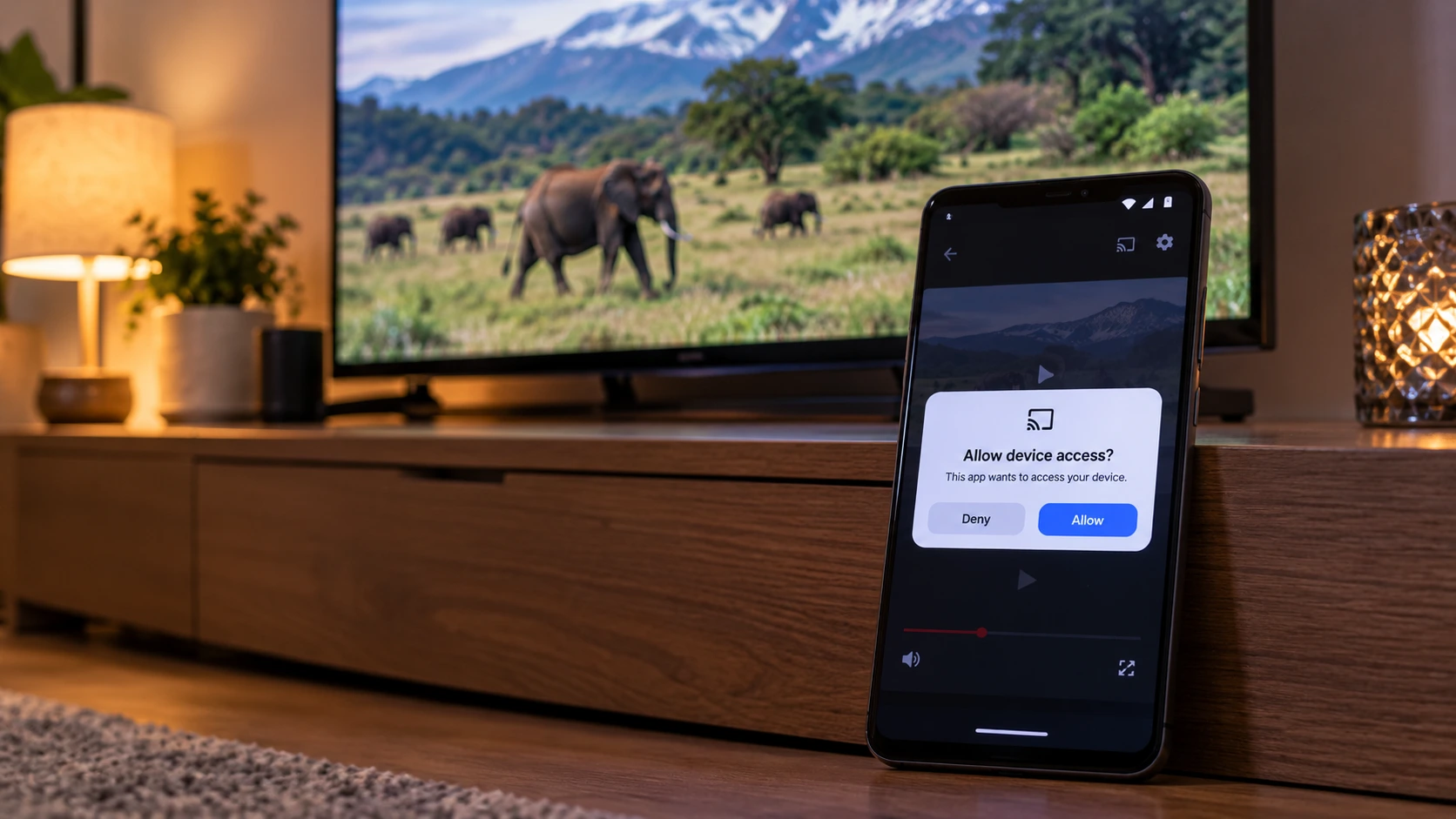
1. Casting a stream to a television. Sending from a phone or tablet to a television on the same network requires the app to find that television on the network. Finding it is local network traffic.
2. A playlist on a NAS. If the playlist lives on a network drive or your own server, reading it is local network traffic. The same applies to any source you run locally.
3. Discovering devices. Automatic detection of receivers and players on the network relies on resolving names locally.
What does not need the permission: viewing that arrives over the internet, mobile network use, and DNS queries to a name server on the local network. In other words, channels work without this permission. That is good news, and it keeps the concern the right size.
The device picker is a third route
Google's documentation describes two routes, and from a user's perspective they are very different.
Route one is the broad permission. The app requests local network access, the system shows the standard permission prompt, and once granted the app can see the whole local network.
Route two is the system device picker. The app requests no broad permission at all. Instead the system shows its own selection dialog in which you pick one device — and the app gets access to that device only. No prompt appears, because no broad permission is being granted.
The second route is clearly better for the user, and it is the one Google's policy favours: the permission is restricted to apps that need it for core functionality where a device picker is insufficient.
What this means when choosing a player: if an app shows a device-selection dialog rather than asking for broad network access, it has done this the new way. That is a good sign of maintenance, and it tells you more than a version number.
One technical detail explains some odd behaviour: in-app browser views inherit the host app's permission state. If an app has no local network access, a browser view opened inside it has none either.
What a missing permission looks like on screen
If an app targets the new Android version and does not request the permission, local network traffic is blocked — and the block covers all networking interfaces, not just some of them. The symptoms, per Google's documentation, are recognisable:
- Connections to the local network time out. The app appears to try, then gives up silently.
- Device discovery finds nothing. The cast list is empty even though the television is on and on the same network.
- Resolving local names fails, so a NAS cannot be found by name.
The important part is that these symptoms do not look like permission errors. They look like a network problem: slow, unresponsive, not found. So they lead easily to entirely the wrong diagnosis — restarting the router and measuring bandwidth, when the fault is in the app's permissions.
The distinction is easy to draw. If channels play normally but casting or the NAS does not work, this is not your connection. If instead the picture itself stutters, that is probably bandwidth or your home network, and it is covered in our article on IPTV buffering.
iOS and Android: same name, different rules
Because the name IPTV Pro is used in both stores, it is worth knowing that October's change does not affect them equally.
Google's policy of 29 October 2026 is a Play Store policy. It governs apps published for Android and their developers. It does not affect iOS apps at all.
iOS has been asking for local network permission for years, though. Since iOS 14, in 2020, an app has had to request permission for local network use explicitly, and the system shows its own prompt for it. Apple has been years ahead here, and Android is now moving the same way.
Three things follow for a user:
| Android | iOS | |
|---|---|---|
| When permission is asked | Becoming mandatory with Android 17 | Asked since 2020 |
| What happens if you refuse | Local network traffic is blocked | Local network traffic is blocked |
| Where to change it afterwards | App permissions, nearby devices | Settings, under the app, local network |
So if you use the same service on a phone and a tablet running different operating systems, casting may work on one and be blocked on the other — with nothing wrong with the service or the subscription. The permission is per device and per operating system, and it does not follow your credentials.
An important limit: refusing does not block viewing on either system. It blocks only the features that use the local network.
Television apps are not in the same position
This is easily missed, and for many readers it is the situation that actually applies to them.
If you watch using a smart television's own app — installed from Samsung's or LG's store — Google's Play policy does not affect you at all. Television manufacturers' app stores are their own platforms with their own rules, and Android targeting does not apply to them.
Two consequences follow, pulling in opposite directions:
The good side: a television app does not meet this change. Casting and local sources work as before and nothing needs doing.
The bad side: the selection of television apps is far narrower, and an app withdrawn from the platform cannot be installed from anywhere else. That risk is covered in our guide to the television's own app platform, and it is the television app's own separate drawback.
Android TV boxes and streaming sticks, by contrast, are Android devices, and players installed on them fall under the same rules as phone apps. So if your viewing happens on an Android box, this article applies to it.
A rule of thumb: the more closed the platform, the less rule changes show up — and the fewer options you have when something does break.
How to work out which app you have
Five checks, a couple of minutes in total.
- Look at the developer name, not the app name. It is on the store listing under the title.
- Check the package identifier in the store URL after
id=. - Check the version and the last update. An update more than a year old means the app is probably not current with the newest permission rules. From November 2026 that is material information, not idle curiosity.
- Read what the purchase includes. The in-app purchases section states whether this is a one-off payment or a subscription.
- Check the permissions requested. If nearby devices or local network appears in the list, the app has prepared for the change.
The third is the most predictive. A maintained app updates alongside rule changes; an abandoned one does not. And because the player is the part of the chain that has to react to Android's changes, continuity of maintenance is a more important property in a player than any individual feature.
What a "Pro" payment actually buys
Now to the money. The contents of paid player tiers are remarkably consistent across the sector.
| What the payment typically brings | What it does not bring |
|---|---|
| Ad removal | Channels |
| Automatic reconnection after a dropout | Films or series |
| Opening the last channel watched on launch | Sport |
| Launching when the device boots | Better picture quality |
| Managing several playlists | A faster connection |
The right-hand column matters more than the left, and it deserves its own section below.
Ad removal is usually what you are paying for
In practice a Pro payment is, in most players, the price of no advertising. The features are an extra rather than the point. A few euros once makes sense in that light — but not for what it adds. It makes sense because it is effectively a maintenance fee. A paid version has a revenue stream, and a revenue stream tends to correlate with whether the app is still being updated in two years.
That is exactly why October's change makes this a more current question than it was a year ago. A player that is not updated will not file the required declaration or request the required permission.
Is it worth paying — three situations
The answer depends on what the player is for. Three typical situations cover most cases.
You use one device and mostly watch live channels. The free version is probably fine. Ads in players are usually on the launch screen rather than mid-playback, so the nuisance is small. Paying here is largely a convenience purchase.
You cast to a television or read a playlist from a NAS. Now paying starts to matter — not for the features but because these are precisely the functions the October 2026 change affects. A maintained paid version will make the necessary update; an abandoned free one will not.
You watch often and on several devices. A one-off payment covers every device on the same account in most stores, so the cost spreads. In that situation a few euros once is unarguably the cheapest part of the whole chain.
The common thread in all three: think of the payment as a maintenance fee rather than a feature purchase. That is the right way to assess it, because the player is the part of the chain that has to react to operating-system changes — and reacting requires that somebody is still developing it.
A one-off payment and a subscription are different things
The store listing shows this clearly once you know where to look. A one-off payment removes ads permanently on that account. A subscription charges repeatedly and continues until cancelled.
Neither is inherently worse, but the difference is worth knowing before paying rather than after. A recurring charge for a small player app goes unnoticed for years very easily.
"Pro" never means channels
This deserves its own section, because it is the most common misconception in the subject and the one that produces the most disappointment.
A player is an empty tool. It contains content no more than a browser contains websites. It plays whatever playlist you feed it. The paid version plays exactly the same content as the free one — it just does so without ads.
Two things follow:
Changing player does not change the channel line-up. If a channel is missing, the fault is not in the player or its version. The line-up comes from the subscription, and how to read one is covered in our article on channel line-ups.
If an app promises channels for a one-off payment, the promise is not sustainable. Supplying content is a recurring cost that a single payment does not cover. The promise may hold briefly, but not for long.
A Pro app and a subscription are two separate purchases
This structure causes the most confusion in the subject, and it is worth drawing out.
| Part | Where it comes from | What it costs |
|---|---|---|
| The player | The app store | Free, or a few euros once |
| The subscription | The provider | A period fee |
| The device | A shop | A one-off, or nothing if you already have one |
Three parts, three separate purchases, and none substitutes for another. A player without a subscription shows an empty list. A subscription without a player shows nothing. Our own plans and their simultaneous connections are listed on the pricing page — €15 for one month and €70 for twelve, about €5.83 a month on the annual plan, with no fixed-term contract.
Hardware options are covered in the IPTV box guide and on the devices page, and when no separate device is needed at all in IPTV without a box.
If casting stops working
Because the symptoms look like a network problem, it helps to know the order of checks in advance. It saves the hour that otherwise goes into adjusting the router.
- First confirm the channels work. If the picture plays normally the connection is fine and the fault is not the network. That one observation rules out most of the wrong explanations.
- Open the app's permissions in the device settings. Find nearby devices or local network and see whether it is granted.
- Grant it and try again. In most cases casting starts working immediately, with no restart needed.
- If the permission is not offered at all, the app does not request it — meaning the developer has not made the necessary update. The only fix is to change player or wait for an update.
- If the permission is granted and casting still fails, the devices are probably on different networks. The usual cause is a phone on one band and a television on another in separate subnets, or a guest network being in use.
The fourth point is the most significant one here, because it is the situation where the user can do nothing. An app that does not request the permission does not get it — and a user cannot grant a permission that is never requested.
That is why maintenance is a player's most important property. Everything else is fixable in settings; this is not.
Common misconceptions
"The Pro version is faster." It is not. Playback speed and picture quality come from the connection and the source, not the app's version. The same goes for how fast a channel opens: that depends on the server and the connection, not on whether ads have been removed.
"The Pro version has more channels." It does not. See the section above.
"Pro means the official version." It does not. The word is free to use, and it is used by apps with no connection to any known player. Identifying a genuine app is covered in the Smarters Pro article.
"If an app is paid, it is safe." One does not follow from the other. Payment tells you a developer set a price, not who that developer is or what the app does with your data. Paid status is a weak signal; the developer name, the update cadence and the requested permissions are strong ones. Which is why those three are worth checking even for an app you paid for.
"I paid for the app, so support comes from the app's developer." Partly. For player problems yes, but for the subscription, credentials and channels no — those sit with the provider. Knowing where that line falls saves waiting for an answer from the wrong place.
"Changing app fixes the programme guide." Sometimes, but usually the cause is the device's time zone or cache. That is covered separately in IPTV EPG not working.
What to check before paying
A short list that applies to any player, whether or not Pro is in the name.
- Developer and package identifier — note them before installing.
- Last update — under a year is a good sign, especially now.
- One-off payment or subscription — read the store's purchase section.
- Permissions requested — nearby devices or local network tells you casting and local sources have been considered.
- Whether it works on your device — test with the free edition before paying, if there is one.
Work through the list in that order. The first three can be established from the store listing in seconds without installing anything, so poor options drop out before anything is downloaded. Only the fourth and fifth require opening the app.
The last point is the best single piece of advice in this article. Nearly every paid player has a free edition or a trial, and whether a player suits your device becomes clear in minutes. The most common questions are collected in the FAQ, and the rest go through the contact page.
The fundamentals of how IPTV works in Finland, which devices suit it and what it costs are covered in the IPTV in Finland master guide, and setting a player up step by step in the IPTV Smarters Player guide.
Summary
IPTV Pro is not one app. The name is used by several unrelated players, and beyond that the word Pro appears as a bare suffix on dozens more. So an app's name identifies nothing — the developer and the package identifier do.
What the payment buys: no ads and a few extra features. What it does not buy: channels, films, sport, better quality or a faster connection. A player is an empty tool and the content comes from the subscription.
What changed: Google published a new local network access policy on 29 October 2026. Apps targeting Android 17 need a separate declaration, and without the permission casting and NAS playlists stop working — viewing does not. The symptoms look like a network problem, which makes them misleading.
What has not changed: television apps and iOS are in their own positions, and channels work on every platform regardless of the permission. So keep the concern the right size — this is about casting and local playlists, not about watching.
What to do: check your player's last update date. A maintained app handles this for you and an abandoned one does not, and that is a stronger reason to pick a player than any individual feature.
You can test the service on your own device and your own player before paying: activation takes about a minute, there is no fixed-term contract, and there is a 7-day money-back guarantee. See the plans and prices or just ask.
Source: Google's developer documentation on local network permission.